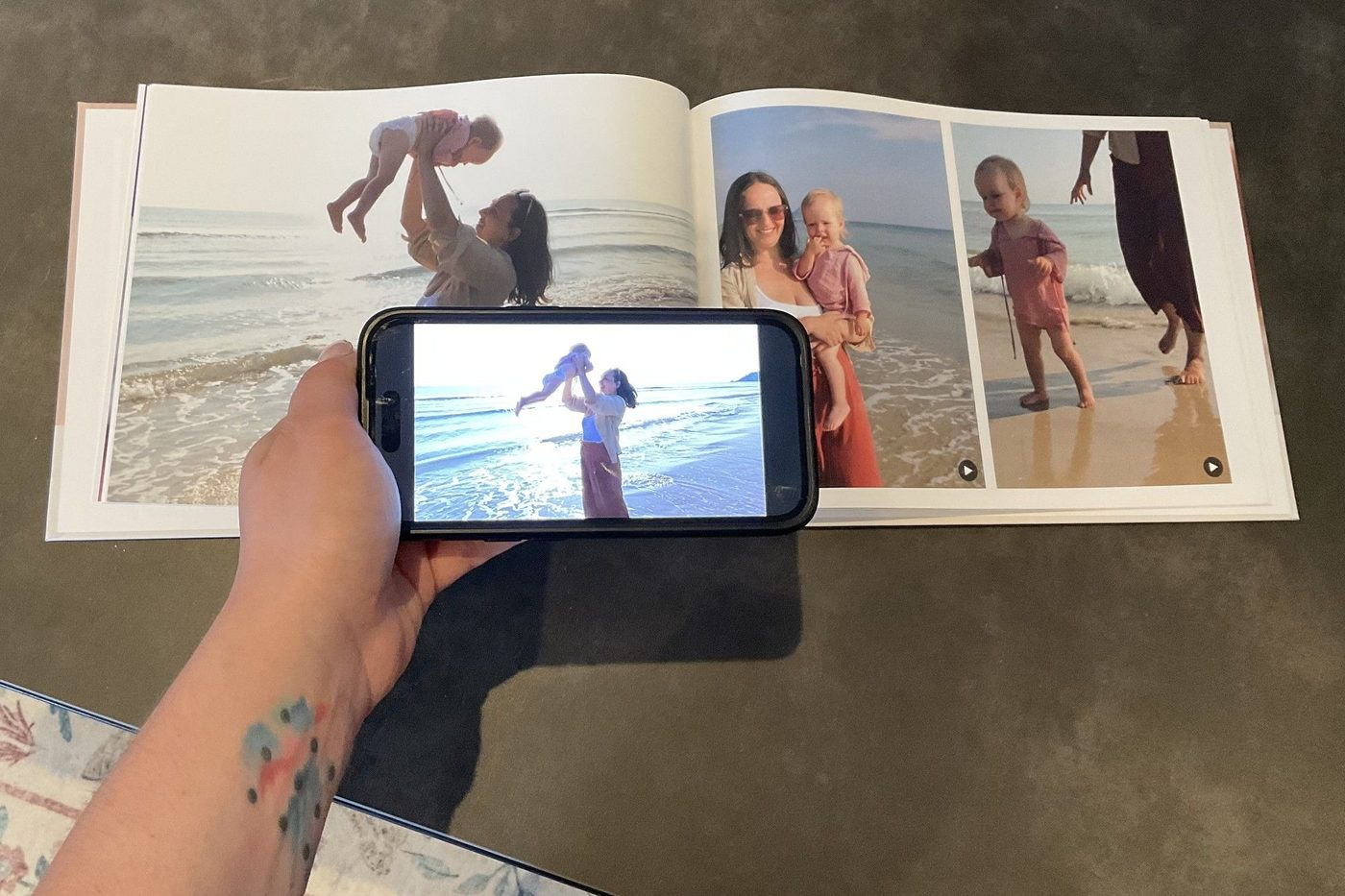
I realise "photos that play videos" sounds a little strange. A photograph is a photograph. It's printed on paper. It doesn't have a screen, speakers or anything particularly clever hiding inside it.
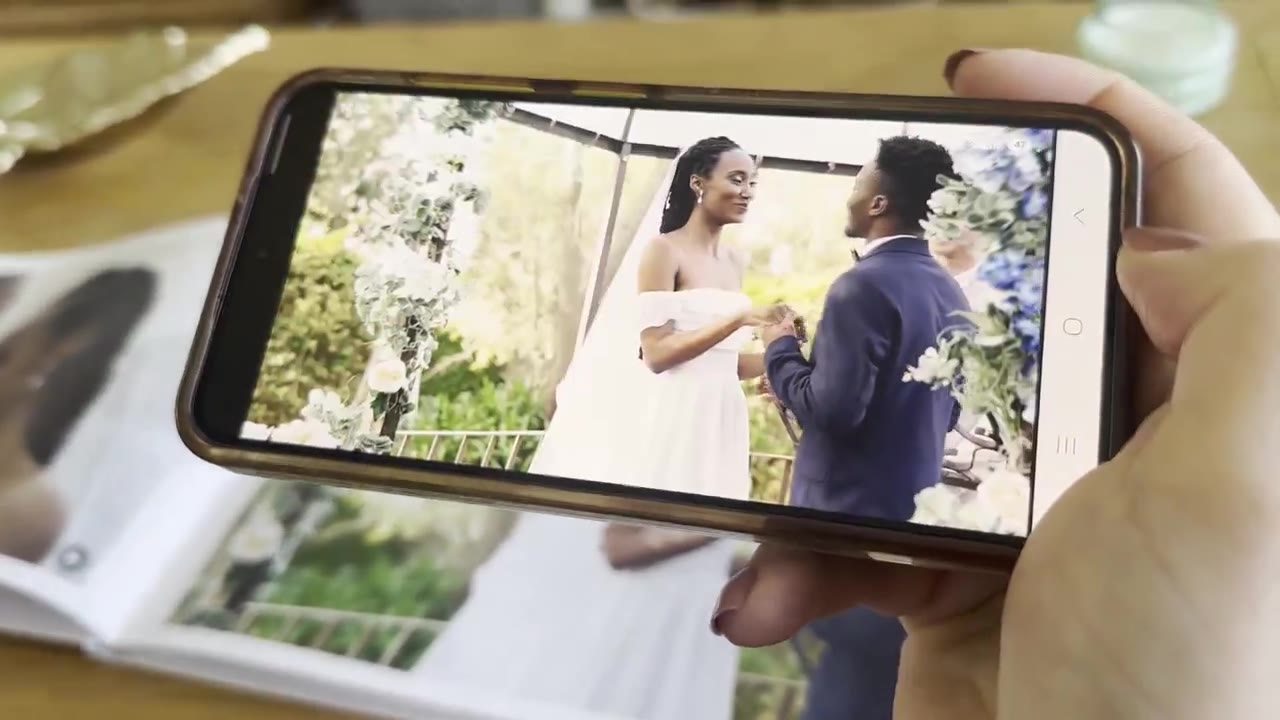
And yet, you can point your phone at a photo in a Nokoru photobook and watch the actual video behind it, complete with sound. Not an AI-generated animation of the photo. Not a slideshow. The original video you recorded.
It's much easier to show than explain:
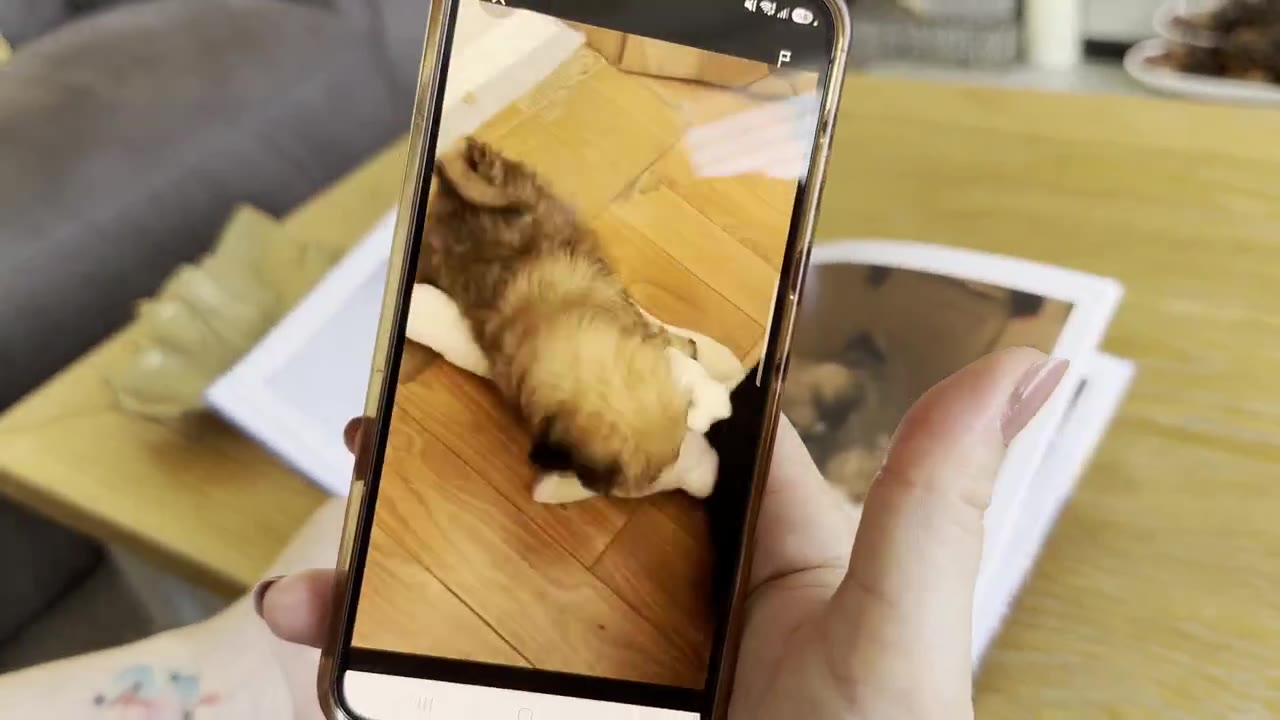
That's a real printed photobook. The app recognises the photograph on the page and finds the video connected to it. Here's how it works, and how you can make one yourself.
How can a printed photo play a video?
There are a few ways to connect a printed photograph to a video, and the easiest is probably a QR code. You print a code next to the photo, scan it with your phone, and the video opens in a browser. It's a perfectly sensible solution, and there are products that already do this.
I wanted something different for Nokoru, though. I've always loved physical photo albums, and part of their appeal is being able to flick through the pages without anything getting in the way of the photographs. I wanted the photographs to remain the focus, especially in a keepsake album filled with memories of your wedding day or your child's first year. Something you can look back on for decades, where the pages feel just as beautiful on their own, without anything competing for attention.
Instead, Nokoru uses photo recognition. When you're creating a book, you pair each video with a photograph. Once the book is printed, the app can recognise that photograph and play the corresponding video. There's no special paper or technology hidden inside the book, and nothing needs to be printed next to the photograph for the recognition to work.
One thing worth clarifying, though: this doesn't work with just any printed photograph. The photo and video need to be connected when you create your Nokoru book, so the app knows what it's looking for.
You probably already have everything you need
One of the reasons I started working on Nokoru was that I had so many videos sitting on my phone that I rarely looked at again. I love printing photographs, but traditional photobooks don't really have anywhere for the videos to go. And sometimes, the video is the part I actually want to remember.
You don't need to record anything specifically for Nokoru or create special content. You can use the videos you've already taken, whether that's a holiday, a birthday, your dog doing something funny or just a random moment you happened to film. The app currently supports videos up to 60 seconds long, so if you've got a longer recording, you'll need to trim it to the part you want to include before uploading it.
You don't need a video for every photograph, either. Some photos are lovely just as they are, while others have a whole moment behind them that's worth watching again. Every book includes five videos to start with, but you can add more as you build it, so you don't have to narrow a whole wedding or your child's first year down to just five clips.
How to make a photobook with videos
The process is pretty similar to creating an ordinary photobook. You upload your photos, arrange the pages and order your book, with a couple of extra steps to connect the videos.
1. Upload your photos and videos
You can create your video photobook on the Nokoru website using your phone or computer. If you have the option, I'd recommend using a computer for the best experience, especially if you want to fine-tune the pages. Start by uploading the photographs you want to include, alongside your videos. You don't need to have the entire book planned before uploading everything, as you can arrange the pages and make changes in the builder.
2. Choose the photo for each video
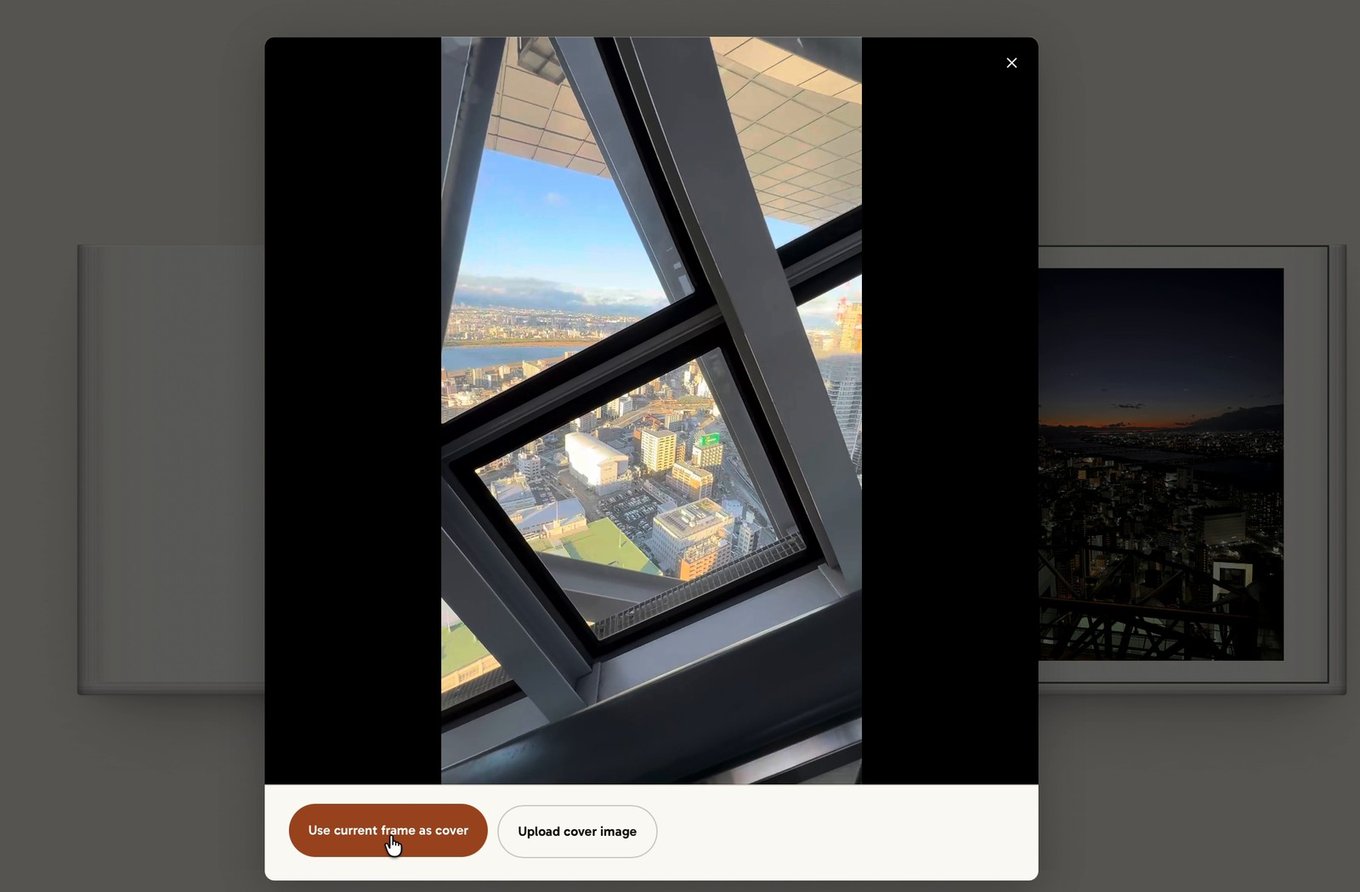
Every video needs a photograph to go with it in the book, but that doesn't mean you need to have taken a separate photo. You can play the video in the builder, pause on a frame you like and use that still image on the printed page. Or, if you have a photograph you'd rather use, you can pair the video with that instead. Either way, the page looks just like a normal photobook page when you're not scanning it.
3. Put your photobook together
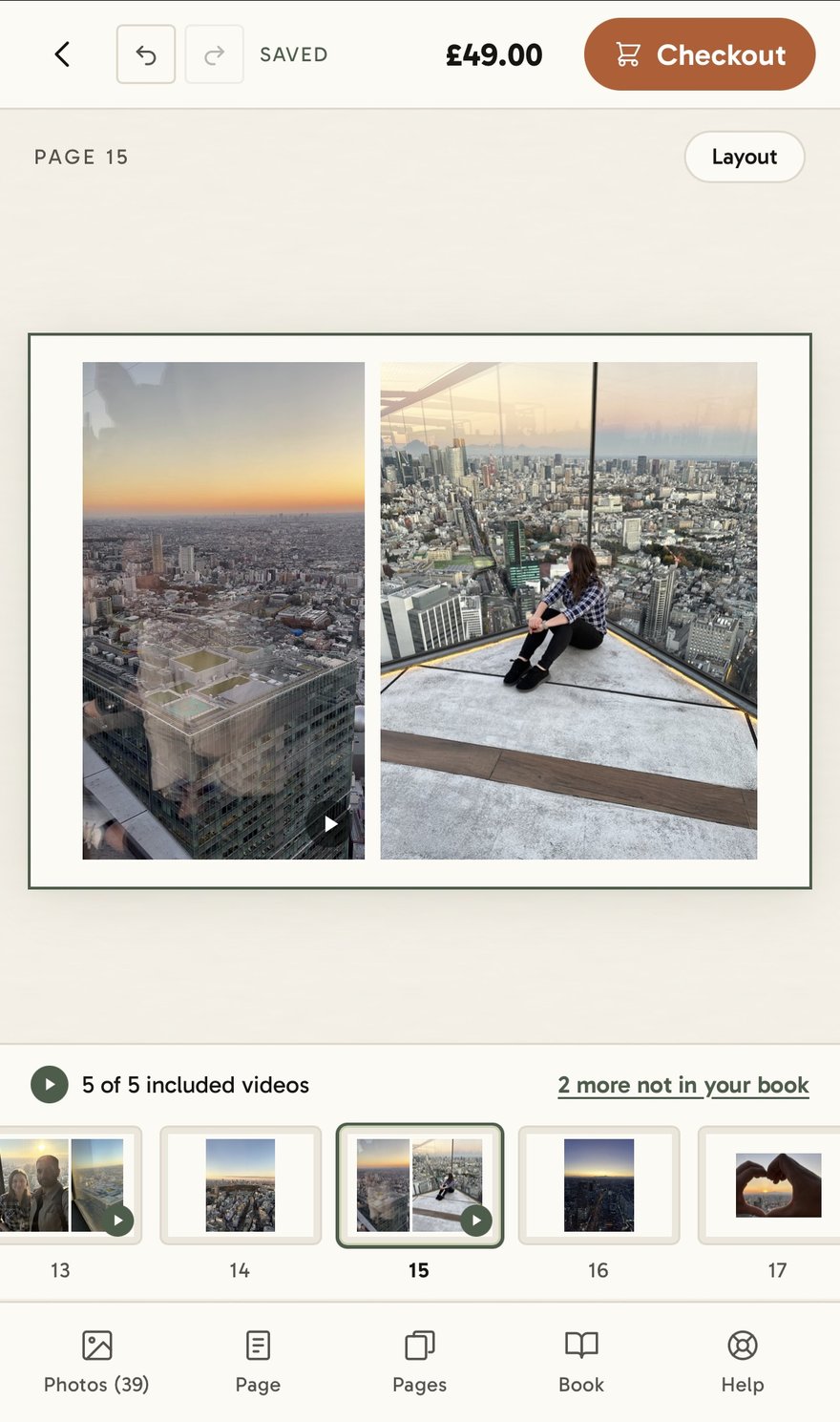
Once you've chosen your photos and connected the videos, you can arrange everything across the pages. There are different layouts to choose from, so you can keep things relatively simple or spend more time adjusting how everything looks. If you'd rather not arrange every page yourself, the Book wizard can put together a first version from your photos. You can then go through it and change anything you like.
When you're happy with the book, choose your size and paper finish, review the pages and place your order. You can also choose how long Nokoru stores your videos: 3, 5, 10 or 30 years. Three years is included in the starting price, and you'll get a reminder well before your storage period ends, so you have the option to extend it. Nokoru then prints and binds your book into a hardcover photobook and delivers it to your door.
4. Scan your photos and watch
When your book arrives, download the free Nokoru app and sign in or create a free account. Scan the QR code on the back cover to add the book to your account.
Once the book is connected, open a page with a video, point your phone at the photograph and watch the original clip play, including its sound. You'll need Wi-Fi or mobile data because the videos are stored privately online, not inside the book. They're not publicly accessible: someone needs the physical photobook and a Nokoru account to scan and watch them.
Does Nokoru use AI to animate the photographs?
No. It's a question I get a lot, and I can understand why with so many AI-generated videos around. But Nokoru doesn't animate your photos or invent what happened around them. The app recognises the printed photograph and plays the original video you attached to it, sound and all. I think that's much cooler than having AI guess what the moment might have looked like, because it's what you actually recorded.
What if you don't have your phone with you?
You still have a normal photobook, which was always the idea. You can look through the photographs without opening an app, and the book doesn't depend on the technology to be enjoyable. The videos are simply an extra layer you can return to during the storage period you've chosen.
Making your own video photobook
If you have photographs and videos sitting on your phone that you've been meaning to do something with, you can create your own Nokoru photobook. Books start from £49, with five videos included.
And if you're interested in why I started building Nokoru in the first place, I've written about that here.

AnitaFounder of Nokoru